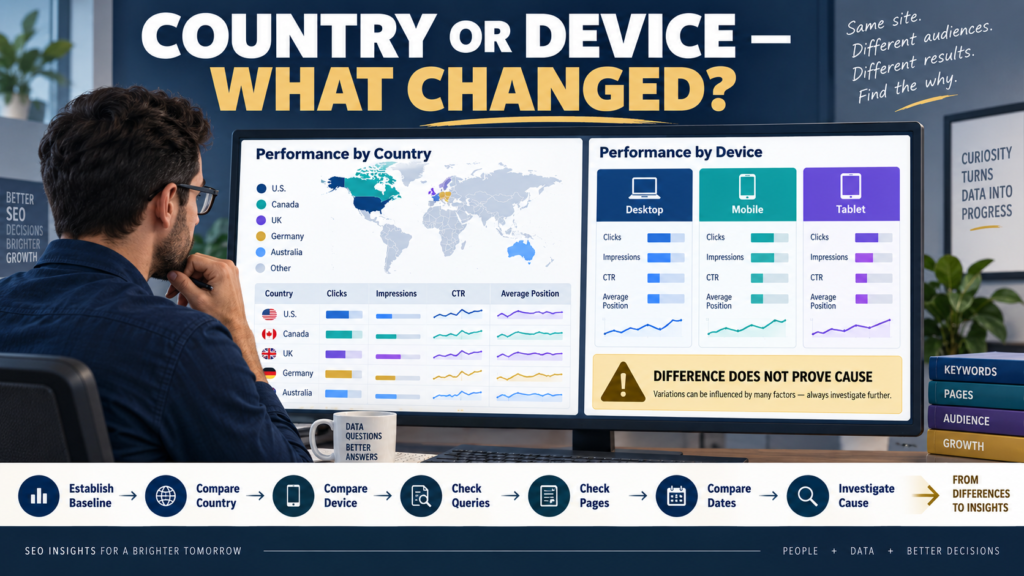
Google Search Console can separate Search performance by where a search originated and what type of device the searcher used.
Google’s current Performance-report documentation identifies:
Countries as the country where the search originated.
Devices as desktop, tablet, or mobile.
Those dimensions can help answer useful questions such as:
- Is mobile search performance different from desktop?
- Is one country driving most clicks?
- Did impressions decline only in one market?
- Is CTR different across devices?
- Did a traffic drop affect the whole site or one segment?
But country and device differences can be misunderstood.
A lower CTR on mobile does not automatically mean your mobile website is broken.
A lower average position in one country does not automatically mean Google is penalizing you there.
The best workflow is:
Find Difference → Check Queries → Check Pages → Compare Dates → Check Other Evidence → Investigate Cause
Start With the Main Performance Report
Google’s current Search results Performance report contains:
- Clicks.
- Impressions.
- CTR.
- Average position.
The table can be grouped by dimensions including:
- Queries.
- Pages.
- Countries.
- Devices.
- Search appearance.
- Dates.
Before adding filters, understand the overall baseline.
Record:
- Date range.
- Clicks.
- Impressions.
- CTR.
- Average position.
Then segment.
Country Means Where the Search Originated
Google’s current documentation defines the Country dimension as the country from which the search originated.
This can help you identify geographic audience differences.
Suppose:
United States:
- 8,000 impressions.
- 400 clicks.
United Kingdom:
- 1,500 impressions.
- 120 clicks.
Canada:
- 900 impressions.
- 65 clicks.
The numbers tell you the site is visible in several markets.
They do not automatically tell you which market is more profitable.
Search Console is measuring search performance—not customer lifetime value.
Device Separates Search Environment
The Devices dimension groups searches into:
- Desktop.
- Tablet.
- Mobile.
This can reveal:
- Mobile-heavy visibility.
- Different CTR.
- Different average position.
- Different query patterns.
But device performance can differ because people search differently on different devices.
Do not assume the device itself caused the difference.
How to Compare Countries
Google currently supports comparing values within a grouping dimension.
For example:
Country: United States vs United Kingdom
Search Console then adds difference information to help compare performance.
Use the same:
- Search type.
- Date range.
- Other filters.
Then compare:
- Clicks.
- Impressions.
- CTR.
- Average position.
Do not stop there.
Check Queries After Comparing Countries
Suppose CTR is lower in Country B.
Why?
Open Queries.
The search demand may be different.
Country A may show:
“best beginner email platform”
Country B may show:
“free email software”
Those queries can naturally produce different CTR and purchase behavior.
The country difference may actually be a query-mix difference.
Check Pages
Country differences may also come from different pages.
Suppose one article ranks strongly in the United States but receives little visibility elsewhere.
Ask:
- Is the content geographically relevant?
- Does it use local terminology?
- Does it mention U.S.-specific pricing?
- Does another page dominate internationally?
- Is the topic naturally country-specific?
Do not rewrite the whole website because one page has a geographic pattern.
How to Compare Mobile and Desktop
Google’s advanced comparison documentation specifically provides examples such as comparing mobile and desktop CTR within a selected country.
A useful workflow is:
- Select a stable date range.
- Compare Mobile vs Desktop.
- Review clicks.
- Review impressions.
- Review CTR.
- Review average position.
- Open Queries.
- Open Pages.
That gives you much more context than:
“Mobile CTR is lower.”
Lower Mobile CTR Does Not Automatically Mean Bad Mobile Design
Search Console measures the search result before the visitor reaches your page.
A lower mobile CTR might be influenced by:
- Search-result layout.
- Query intent.
- Different competing results.
- Device-specific search behavior.
- Different search features.
- Different average position.
Once the visitor clicks, website usability becomes important.
Therefore:
Search Console difference → investigate search context
then:
GA4/device data → investigate website behavior
Connect Search Console With GA4 Tech Data
Suppose Search Console shows:
Mobile clicks stable.
But GA4 shows:
Mobile engagement or key events falling.
That could suggest a website-side problem rather than a search-visibility problem.
The GA4 Tech Details report can help investigate browser, device, operating-system, and screen-resolution patterns.
The tools answer different questions.
Search Console:
What happened in Google Search?
GA4:
What happened after the visit reached the website?
Different Average Position Does Not Prove a Ranking Problem
Average position can vary because different queries and pages contribute to each segment.
Imagine:
Desktop receives many branded searches where you rank strongly.
Mobile receives more broad informational searches.
Mobile average position may therefore look worse.
That does not necessarily mean:
“Google ranks my site lower because the user is on a phone.”
Check the query mix first.
Use Equivalent Date Comparisons
Suppose mobile clicks fall 20%.
Compare:
Last 28 Days vs Previous 28 Days
with the device filter applied consistently.
Do not compare:
Mobile this month
against:
Desktop last year.
Keep conditions aligned.
My guide to comparing date ranges in Google Search Console without misreading normal traffic changes provides a structured approach.
Look for Segment-Specific Drops
A useful diagnostic question is:
Did the decline happen everywhere?
Scenario A
Desktop clicks: down 30%.
Mobile clicks: down 32%.
Multiple countries: down.
This may indicate a broad site or search-demand issue.
Scenario B
Desktop: stable.
Mobile: down 40%.
Now device-specific investigation deserves more attention.
Scenario C
United States: stable.
United Kingdom: down 50%.
Now investigate the affected country.
Segmentation narrows the problem.
Do Not Forget Search Type
Search Console performance can also be separated by:
- Web.
- Image.
- Video.
- News.
Country and device behavior may differ across those search types.
Keep Search type consistent while comparing segments.
Otherwise, you can accidentally compare different search environments.
Country Data Is Not a Customer Database
Do not use Search Console geography to make personal assumptions about visitors.
Country data can help with decisions such as:
- Which market produces search visibility.
- Whether terminology should be localized.
- Whether content is unexpectedly popular in another country.
It should not be used to invent detailed customer characteristics.
Tablet Data May Be Small
Many sites receive much less tablet traffic than mobile or desktop.
Small samples can produce dramatic percentages.
For example:
Tablet CTR falls 50%.
That sounds serious.
But if clicks changed from:
4 to 2
the practical significance may be small.
Always inspect the underlying counts.
Use Filtering to Investigate, Not Manufacture Insights
Search Console supports multiple filters.
Google gives examples such as:
Country = Spain AND Device = Mobile
for detailed analysis.
This can be useful.
But every additional filter reduces the slice of data.
For a small website, excessive filtering can produce unstable conclusions.
Only add a filter when it answers a real question.
A Practical Device Investigation
Suppose mobile traffic falls.
Step 1
Confirm the drop with a comparable date range.
Step 2
Check mobile impressions.
If impressions fell, visibility or demand changed.
Step 3
Check mobile CTR.
If impressions are stable but clicks fell, CTR deserves investigation.
Step 4
Check queries.
Which searches changed?
Step 5
Check pages.
Which URLs changed?
Step 6
Compare desktop.
Is the pattern mobile-specific?
Step 7
Check GA4.
Did post-click mobile behavior change?
Step 8
Test the site.
Check usability and technical performance.
That is much stronger than assuming the cause from one number.
A Practical Country Investigation
Suppose U.K. clicks decline.
Check:
- Impressions.
- CTR.
- Average position.
- Queries.
- Pages.
- Date trend.
- Whether demand changed.
- Whether important content became outdated for that market.
If the entire site remains stable elsewhere, you have narrowed the investigation.
Search Console Gives Evidence, Not Motivation
Analytics tells you:
People in Country A clicked less.
It does not tell you:
“They no longer trust the brand.”
Likewise:
Mobile CTR declined.
does not prove:
“People hate the mobile title.”
Those are hypotheses.
Use additional evidence.
Connect With Broader Traffic-Drop Diagnosis
If a country or device decline is part of a larger search problem, follow a structured diagnostic workflow instead of changing random SEO elements.
The guide to diagnosing a drop in Google Search traffic before changing your website can help you examine indexing, demand, competition, technical changes, and content factors before reacting.
A Simple Country and Device Worksheet
Record:
Date Range:
Search Type:
Overall Clicks:
Overall Impressions:
COUNTRY
Top Country:
Largest Increase:
Largest Decline:
Queries Checked:
Pages Checked:
DEVICE
Mobile Clicks:
Desktop Clicks:
Tablet Clicks:
Mobile CTR:
Desktop CTR:
Largest Device Difference:
INVESTIGATION
Broad or Segment-Specific?:
Likely Area to Investigate:
Additional Evidence Needed:
Action Required?: Yes / No
Conclusion
Country and device data can turn a vague Search Console problem into a much more focused investigation.
Use Countries to understand where searches originated.
Use Devices to separate mobile, desktop, and tablet performance.
Then examine:
- Queries.
- Pages.
- Date ranges.
- Search type.
- Post-click website behavior.
Do not assume a difference proves the cause.
Mobile may perform differently because the search mix is different.
A country may perform differently because demand, competition, language, or page relevance differs.
The goal of segmentation is not to create more dashboards.
It is to narrow the question.
The next time Search Console traffic changes, ask:
Did this happen across the whole site—or only in one country, device, page, or query group?
That question can save you from changing the wrong thing.