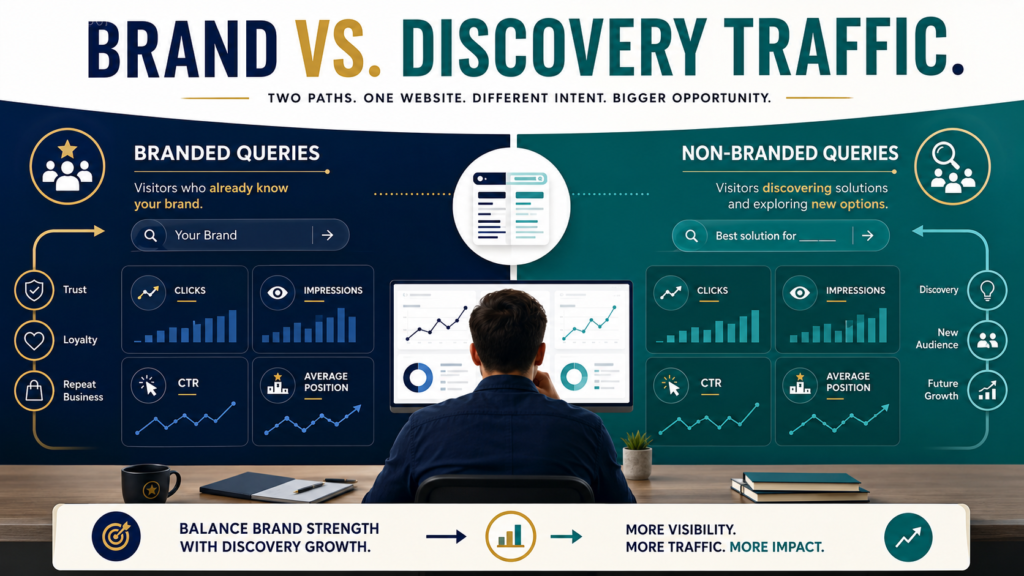
Google Search Console now provides eligible sites with a built-in way to separate branded and non-branded query performance.
That matters because a website can appear to have healthy search traffic while much of that traffic comes from people who already know the company or website name.
Non-branded queries answer a different question:
Are people discovering the website while searching for the problems, topics, products, or information it covers?
Google introduced the branded queries filter in November 2025 and updated its announcement on March 11, 2026, stating that the feature had become available to all eligible sites. It appears within the Search results Performance report and can separate metrics such as clicks, impressions, CTR, and average position into branded and non-branded views. Google’s official branded-query announcement explains the feature and its eligibility requirements.
What Is a Branded Query?
Google defines a branded query broadly.
It can include:
- Your brand name.
- Variations of the brand name.
- Misspellings.
- Brand-related products or services.
Google says its classification is AI-assisted rather than simply based on a regular expression containing a list of keywords.
For a hypothetical company called Example Marketing Lab, branded searches might include:
- Example Marketing Lab.
- ExampleMarketingLab.
- Example Marketing newsletter.
- A distinctive product name strongly associated with the company.
These searches often come from people who already know something about the business.
What Is a Non-Branded Query?
A non-branded query does not primarily depend on prior knowledge of your brand.
Examples might include:
- how to create an SEO content brief
- email welcome sequence for beginners
- how to update old blog posts
- best way to track website traffic
- digital product delivery checklist
These searches can introduce the website to people who did not intentionally search for that particular brand.
That makes non-branded performance useful for evaluating discovery.
Why Total Search Traffic Can Be Misleading
Imagine two websites.
Website A
10,000 organic clicks.
8,000 come from searches containing the company’s brand or product names.
2,000 come from non-branded searches.
Website B
6,000 organic clicks.
1,000 are branded.
5,000 are non-branded.
Website A receives more total search traffic.
Website B, however, is being discovered far more often through general search questions.
Neither situation is automatically better.
A strong brand can be extremely valuable.
The important point is that the two traffic patterns mean different things.
If you combine them into one number, you may misunderstand what is producing the growth.
Where to Find the Filter
According to Google’s current documentation, the branded-query filter is part of the Search results Performance report.
For an eligible property:
- Open Google Search Console.
- Select the appropriate top-level property.
- Open the Search results Performance report.
- Locate the branded-query filtering option.
- View branded performance.
- Switch to non-branded performance.
- Compare the metrics and queries.
Google says the filter can be applied across web, image, video, and news search types.
The exact interface may evolve, so rely on the current Search Console interface rather than an old screenshot.
Why You Might Not See the Filter
The feature is not necessarily available for every property.
Google states that it is limited to top-level properties and to sites with sufficient query and impression volume for its classification signals. URL-path and subdomain properties are excluded from the feature according to the current announcement.
Therefore, do not assume your Search Console account is broken simply because the option is missing.
If the filter is unavailable, manual query filtering can still be useful.
LeeOneMedia’s guide to using Regex in Google Search Console to find better content opportunities explains how more advanced query patterns can be used for analysis.
Start With a 28-Day Baseline
Open the Performance report and choose a useful period.
Twenty-eight days can provide an easy first snapshot.
Record:
Branded
- Clicks.
- Impressions.
- CTR.
- Average position.
Non-Branded
- Clicks.
- Impressions.
- CTR.
- Average position.
Do not immediately declare one number good or bad.
First create the baseline.
Then compare it with a previous period.
Look at the Queries, Not Just the Totals
The most valuable information may be the actual non-branded queries.
Ask:
- Which problems bring new visitors to the site?
- Which articles appear for multiple related searches?
- Which queries receive impressions but few clicks?
- Which topics appear to be gaining visibility?
- Which queries do not match the page’s true subject?
- Which topics are attracting the right audience?
You may discover that the website is being found for subjects you did not intentionally target.
That can create new content opportunities.
It can also reveal weak alignment.
Example: A Small Marketing Website
Suppose a small marketing website receives non-branded impressions for:
- how to audit old blog posts
- remove outdated website content
- update old articles for SEO
- should I delete old blog posts
- content pruning checklist
The owner already has an article about auditing old content.
Instead of immediately writing five new articles, the better move might be to review the existing page.
Ask:
- Does it answer all five concerns?
- Does it need a stronger section on deleting versus updating?
- Are the title and introduction aligned with the queries?
- Are relevant internal links present?
- Does the page need fresher examples?
The data helps determine what to investigate.
It does not automatically tell you to publish another page.
Compare Non-Branded Impressions and Clicks
Suppose non-branded impressions are increasing but clicks remain flat.
Possible explanations might include:
- Rankings are still too low to generate many clicks.
- Titles are not compelling enough.
- The query and page do not align closely.
- Search-result features are changing click behavior.
- The impressions are coming from broad or weakly relevant queries.
Do not change an article based on one metric.
Google’s own documentation explains that Search Console position is an average measure and can behave differently depending on how search results are displayed and aggregated. Google’s explanation of impressions, clicks, and position is worth reviewing before treating average position as a literal fixed ranking.
Compare Branded and Non-Branded Trends Over Time
Create a simple monthly record.
For each period, record:
- Branded clicks.
- Branded impressions.
- Non-branded clicks.
- Non-branded impressions.
- Important query changes.
- Pages responsible for major changes.
- Notes about content updates.
You are looking for patterns.
For example:
Scenario 1: Both are rising
Your brand and broader organic discovery may both be strengthening.
Scenario 2: Branded rises while non-branded stays flat
The brand may be receiving more direct recognition, but broader search discovery deserves investigation.
Scenario 3: Non-branded rises while branded stays flat
SEO visibility may be expanding before brand recognition catches up.
Scenario 4: Both fall
Investigate the drop before making large website changes.
If you encounter that final situation, use a structured diagnosis first. LeeOneMedia’s guide on diagnosing a drop in Google search traffic before changing your website provides a step-by-step starting point.
Do Not Treat Non-Branded Traffic as Automatically Better
It is tempting to say:
Non-branded traffic is good. Branded traffic does not matter.
That is incorrect.
Branded searches can indicate that people remember you, return to your site, recommend you, or intentionally seek your product.
A healthy website may benefit from both.
The purpose of segmentation is to understand why search traffic exists.
Do Not Treat the Filter as a Ranking Tool
Google explicitly says the branded classification filter is for analysis and does not affect how Google Search rankings work. It also notes that classification can occasionally misidentify queries because the system is contextual and dynamic.
Therefore:
- Do not optimize pages merely to manipulate the filter.
- Do not assume every classified query is perfect.
- Review actual query data.
- Use the filter as one analytical lens.
Connect Search Console With GA4
Search Console tells you how the website performs in Google Search.
Analytics tools such as GA4 help you investigate what happens after visitors reach the site.
For example, you might identify a group of non-branded queries bringing visitors to a blog article and then use GA4 to examine engagement and downstream behavior.
Do not judge an article only by page views.
LeeOneMedia’s guide on measuring blog performance in GA4 without relying on page views alone explains additional measurements worth considering.
Create a Simple Monthly Discovery Report
You do not need a complicated SEO dashboard.
Record:
Period:
August 1–31
Branded Click Trend:
Up / Down / Stable
Non-Branded Click Trend:
Up / Down / Stable
Top New Non-Branded Queries:
[List]
Pages Gaining Discovery Visibility:
[List]
Pages Losing Discovery Visibility:
[List]
One Page to Investigate:
[Page]
One Content Opportunity:
[Opportunity]
One Action for Next Month:
[Action]
That is enough to turn the data into a decision.
Conclusion
Google Search Console’s branded-query filter gives eligible site owners a clearer way to separate searches from people already familiar with the brand from searches that introduce the site to a broader audience.
Use it to compare branded and non-branded clicks, impressions, CTR, position, queries, and trends.
Do not treat one metric as a verdict, and do not assume the classification is perfect.
The useful question is not simply:
Did search traffic increase?
Ask:
Are more people discovering the website for the problems and subjects I am intentionally trying to help them solve?
Open your Search Console Performance report and create your first branded-versus-non-branded baseline before making your next SEO decision.